
Blog
The Human Perimeter: How ClickFix is Redefining Initial Access

In 2025, the cyber threat landscape witnessed a significant pivot, moving away from relying solely on complex technical exploits and focusing instead on the most reliable security element: the human user. This shift has led to the rise of techniques like ClickFix that our SOC team has tracked closely across our customers. ClickFix is not a malware family, a zero-day exploit, or a vulnerability. It is a calculated act of deception that turns the victim into the attack's execution mechanism by convincing them to run attacker-supplied commands using legitimate, built-in operating system utilities like PowerShell or the Windows Run dialog.
The Attack Story: A Calculated Deception
ClickFix campaigns follow a focused kill chain centered on urgency and misdirection. As our threat intelligence confirms, these campaigns effectively use multiple distribution channels to land a victim on a malicious page: [17]
- Phishing & Malvertising: Emails or sponsored advertisements place malicious landing pages in front of users.
- Search Engine Poisoning: Attackers capitalize on users actively searching for legitimate resources, increasing the conversion rate by making the victim believe they initiated the activity.
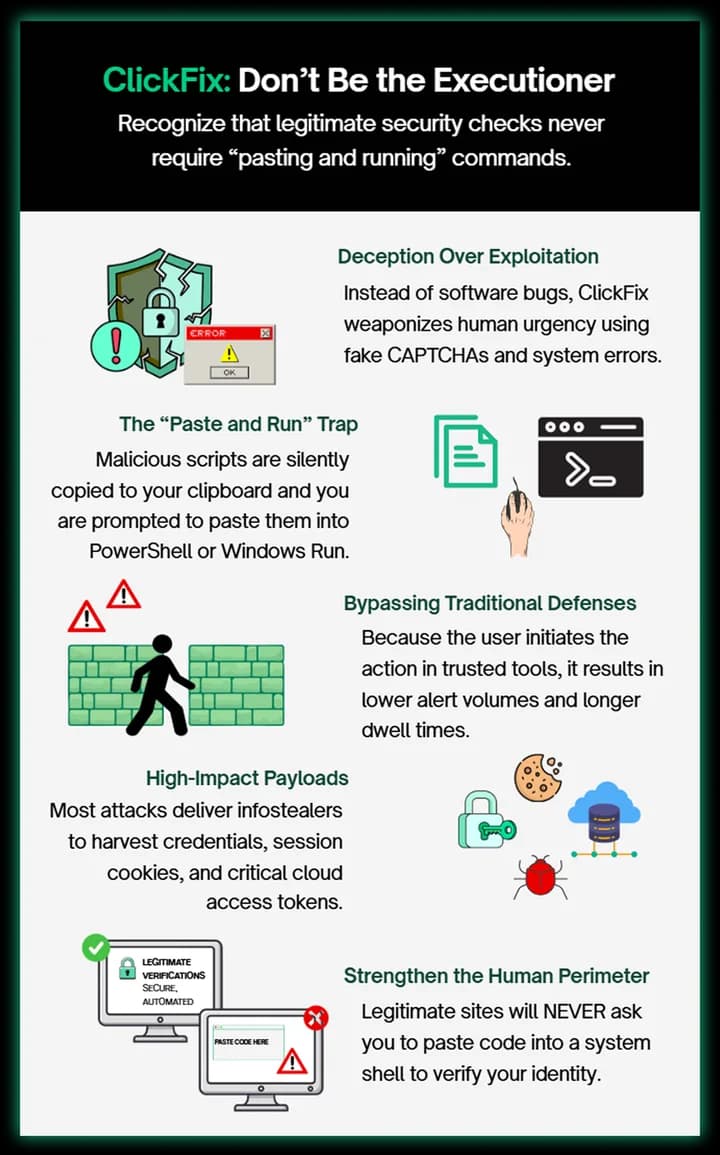
Once on the page, the user is presented with a deception layer a fake CAPTCHA, a simulated system error, or a browser security warning designed to create instant panic and a need for immediate action. Crucially, the page's JavaScript silently copies a malicious command into the user's clipboard. The victim is then simply instructed to paste and run the command to resolve the fake problem. [18]
This technique is effective because it bypasses many traditional enterprise security controls. Most defenses are tuned to identify suspicious files or exploit-driven delivery. ClickFix initiates execution by the user, within trusted tools, which results in lower alert volume and delayed investigation, a phenomenon we observe contributing to higher dwell times in compromised networks. ClickFix is a reliable delivery mechanism, not a final payload. Our regional threat observations show that the executed command typically retrieves and runs a second-stage payload focused on enabling large-scale fraud and corporate espionage.
The most common follow-on payloads include:
- Infostealers: Designed to harvest credentials, browser data, session cookies, and, most critically, cloud access tokens for persistent access.
- Financial Malware: Banking and payment-focused Trojans that target corporate online banking and payment data.
In corporate environments, this rapid account takeover and data exfiltration result in significant business risk, including breach response costs, regulatory exposure, and downstream compromise (e.g., using stolen credentials to pivot to VPN or critical SaaS platforms).
Defensive Controls: Our Recommendations
Defending against ClickFix requires a strategy that addresses both the behavioral and post-click execution phases of the attack. Based on our operational experience, our SOC team highlights the following key controls: [19]
- Behavioral Visibility (The Foundational Layer): You must implement and tune endpoint detection and response (EDR) to monitor for unusual or unexpected interactive command execution, particularly PowerShell and CMD, especially when immediately following user interaction with a browser session.
- Execution Restriction: Organizations should restrict unnecessary PowerShell and scripting capabilities where possible and enforce policies that block high-risk patterns such as the common "download cradle" behaviors unless explicitly required for business operations.
- Sustained User Education (The Primary Control): Since ClickFix relies entirely on human compliance, training is the most critical defense. User awareness programs must emphasize that legitimate CAPTCHAs, browser warnings, and account verification portals do not require pasting commands into system shells or dialogs.
ClickFix demonstrates an attacker shift toward human-driven execution. Effective defense requires not just technological controls but recognition that the human user functions as a crucial perimeter layer, and sustained user awareness is non-negotiable.